14 ORIGINAL IPHONE SCREENSHOTS
See the complete NAVER Map route before you start
These are VEMORIQ-owned screenshots showing the search, destination check, transit-mode correction and route-start sequence.
 Original VEMORIQ media
 Original VEMORIQ media
 Original VEMORIQ media
Updated: August 23, 2026. This guide uses original VEMORIQ iPhone screenshots. Times, fares, bus numbers, detours and walking routes can change.
How to use Naver Map in English from Seoul Station to N Seoul Tower
- Start: Seoul Station
- Destination shown in the app: YTN Seoul Tower
- Mode: Public transit
- Important: Screens 4–6 demonstrate how to recognize and exit car mode.
1
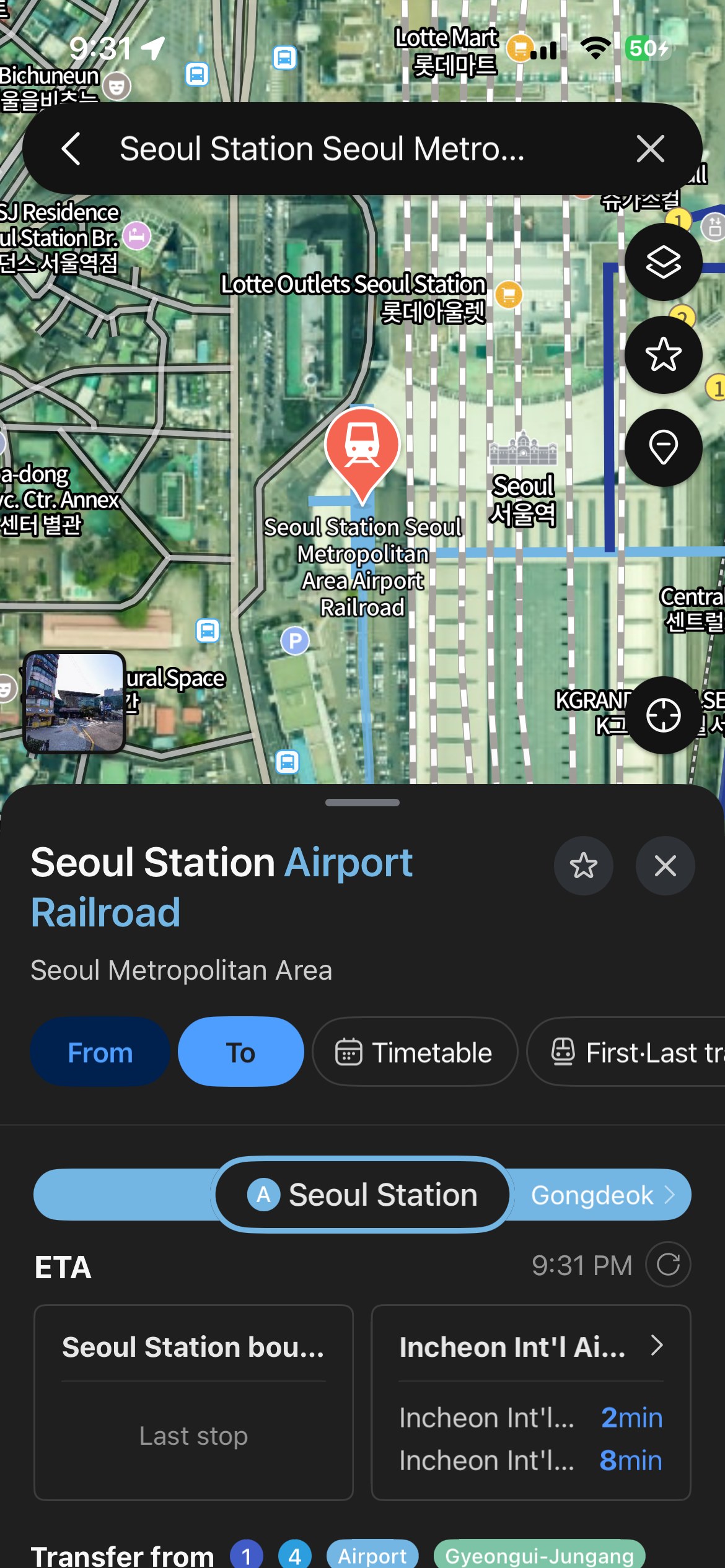
Confirm the correct Seoul Station place
Search Seoul Station and confirm the place card says Seoul Station Airport Railroad or the station entrance you actually need.
Original VEMORIQ media2
Open directions and enter the destination
Tap directions, keep Seoul Station as the start, and search YTN Seoul Tower as the destination shown in this example.
 Original VEMORIQ media
3
Choose the public-transit tab
Tap the bus/train icon. Compare total time, fare, walking time, transfers, and the departure time before choosing.
 Original VEMORIQ media
4
Check whether car mode is selected
This screenshot shows the car icon highlighted. For a transit trip, switch back to the bus/train icon instead of pressing Go.
 Original VEMORIQ media
5
Do not confuse driving alternatives with transit
Driving results such as shortest or avoid-tolls are not bus or subway routes. Use this screen only to recognize the wrong mode.
 Original VEMORIQ media
6
Exit car navigation if it starts
If turn-by-turn car navigation opened accidentally, tap End directions, then return to the route search screen.
 Original VEMORIQ media
7
Return to the best transit route
Select the transit tab again and review the best result. Late-evening routes can differ from daytime routes.
Original VEMORIQ media8
Read route details and service notices
Open a result to see subway, bus, walking segments, boarding stops, and temporary detour notices.
 Original VEMORIQ media
9
Compare another live transit option
Compare alternatives when a bus detour, long wait, or final walking segment does not suit your group.
 Original VEMORIQ media
10
Open the full route map
Use the map overview to understand where the bus ride ends and where the uphill walking section begins.
 Original VEMORIQ media
11
Check the first walk and bus stop
Confirm the correct Seoul Station bus stop, bus number, walking time, and direction before boarding.
 Original VEMORIQ media
12
Review bus alternatives and stop counts
Expand the bus alternatives. Check estimated arrival time and stop count rather than relying on color alone.
 Original VEMORIQ media
13
Check the final walk up Namsan
Review the get-off stop and final walking distance. Namsan routes can include slopes and stairs.
 Original VEMORIQ media
14
Confirm YTN Seoul Tower and start guidance
Confirm the destination card says YTN Seoul Tower. Tap Go/Start guidance only after checking current service information.
Original VEMORIQ mediaWhat to check before you leave
- Refresh the route immediately before departure.
- Confirm the exact Seoul Station exit and bus-stop direction.
- Check the final uphill walk, accessibility, weather and operating hours.
- Do not treat the sample fare or bus number as a permanent schedule.
Official Naver Map references
Frequently asked questions
Can I use Naver Map in English?
Yes. NAVER Map supports English map and navigation features, although some place names, service notices or local details may still appear in Korean.
Why did the app show an 8-minute route?
That screen had car mode selected. Tap the bus/train icon for public-transit results.
Is the route in these screenshots always available?
No. Transit times, fares, bus numbers, detours and walking segments are live information and can change.
Community Talk & Local Updates
Visited this place? Share your latest experience with fellow travelers!
The WordPress comment form will appear here. Please keep updates factual, respectful and free of personal medical information.
Leave a Reply